Getting started
A few things to know before you step into Automatia. The current browser build is an early version of the game.
Open the game
Play in browser takes you to the game at its own address. The website does not load the game in the background.
- Open the browser game.
- Consider creating an account for long-term play. This is optional.
- Press "Hold to Play" to enter as a new player.
Use a desktop computer with a keyboard and mouse for now. Mobile and touch controls have not been implemented.
Choose how to play
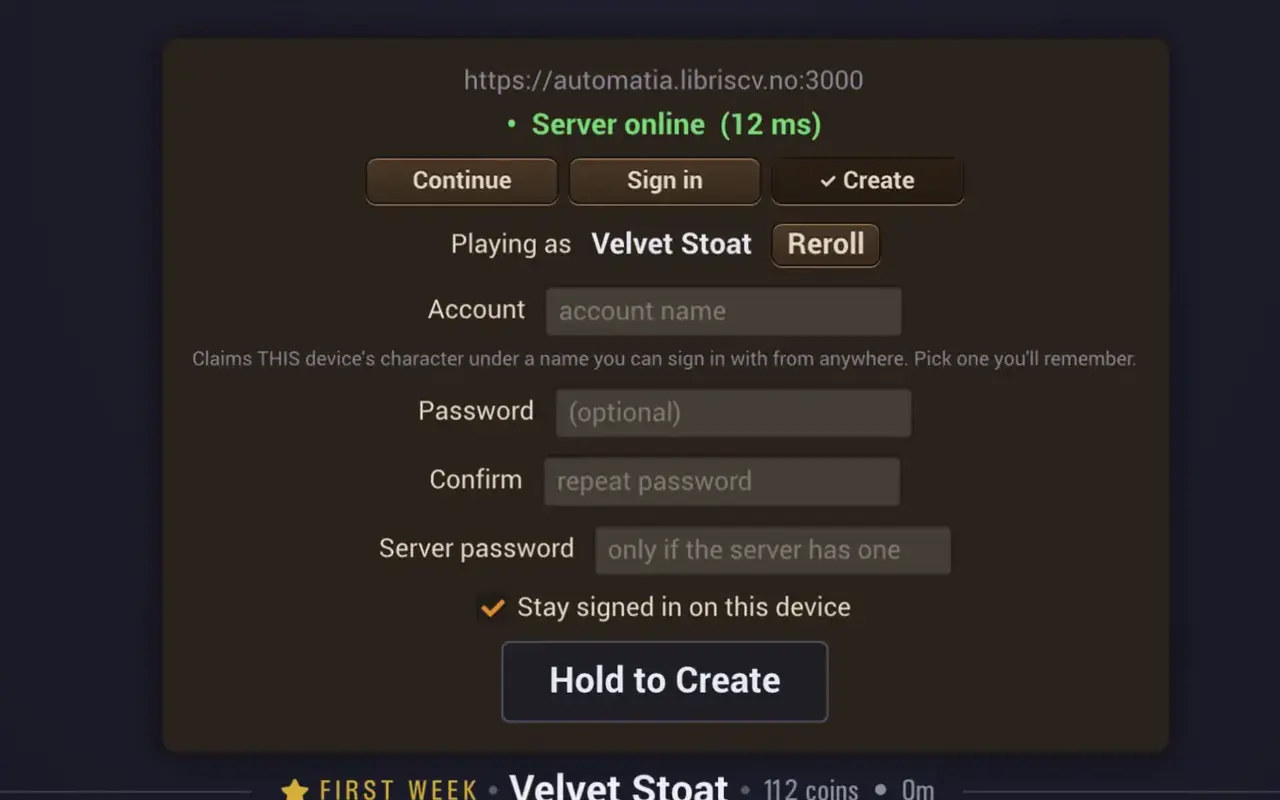
The opening screen offers Continue, Sign in, and Create. With Continue selected, it shows a generated player name, a Reroll button, and Hold to Play. Use Sign in if you already have an account, or read the Create screen if you want to make one.
There are also I have a link code and New identity options. If you are returning to an existing character, take care to choose the same identity before playing.
What happens to my progress?
Save recovery, linking across devices, and reset rules are not yet documented here. Keep your existing browser data and account details while those instructions are being verified. Do not rely on an early development build to keep progress permanently.
Your first steps
The published introduction shows a train ride ending at the farmstead. It is work-in-progress footage from August 2026, so follow the prompts in the current game if the opening has changed.
Give yourself time to look around and read what the game tells you. A step-by-step farming or crafting guide will be added once those first actions have been checked in the public build.
Playing with a friend
Join a Friend is available on the opening screen. Open that option to see what the current game asks for. The complete joining flow and how progress carries between worlds still need a verified walkthrough; this guide does not yet promise a particular host or save arrangement.
Help & feedback
Loading seems stuck
Check your internet connection and the message on the loading screen. If the page reports that the server is offline, try again later. If the game never reaches the opening screen, note the last loading message before refreshing the page.
What should I include in a bug report?
Write down your browser and operating system, the game version if visible, what you were doing, and the message you saw. A screenshot and a short set of steps can help explain a problem. Leave out passwords and account or link codes.
A dedicated game feedback destination has not been announced on this site. The developer’s website has current public links, and the development blog gives context on ongoing work.